
Skip to content
English
  • There are no suggestions because the search field is empty.

How do you change your email address?

To change your account's main e-mail address, follow the steps below 

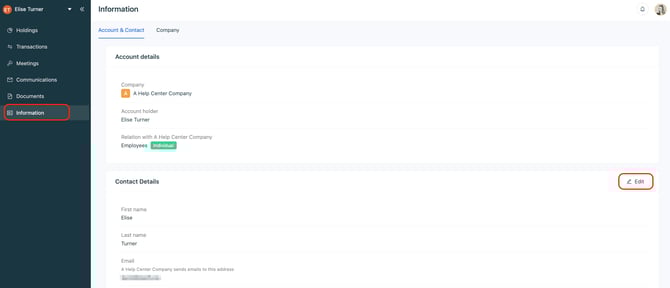
① Go to your Equify account and open the "Information" tab :

Click on "Edit" to update your personal information:
Capture_d’écran_2026-03-24_à_16_21_23

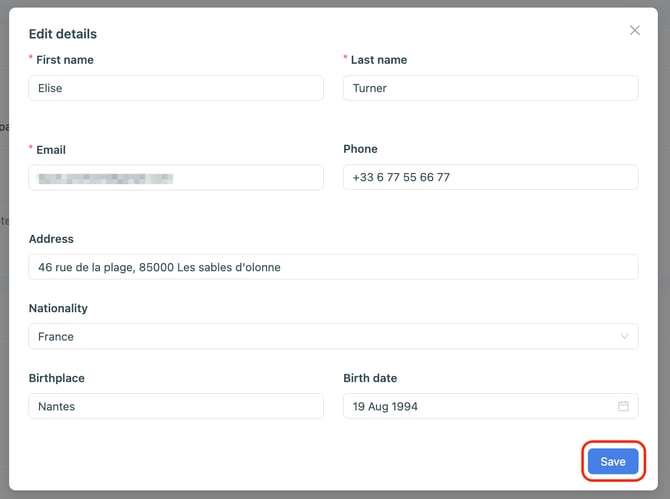
② Enter your new email address and save :
Capture_d’écran_2026-03-24_à_16_22_31


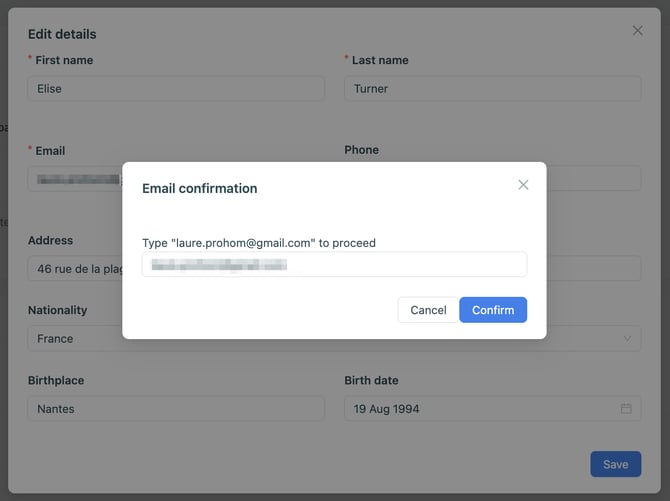
You will be asked to confirm your new email address:
Capture_d’écran_2026-03-24_à_16_26_49

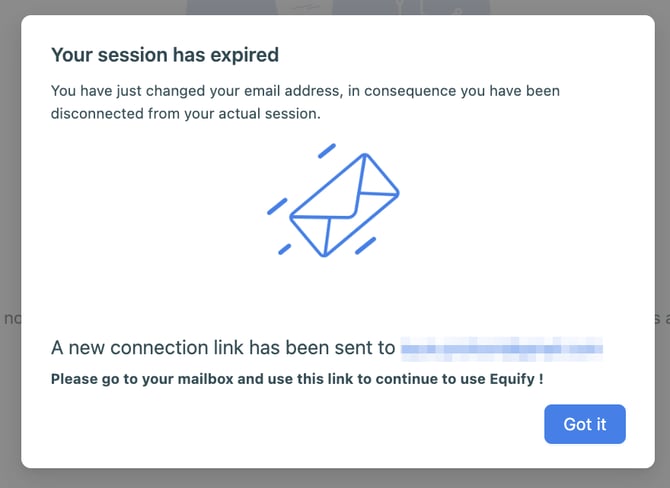
You will then be logged out of your Equify account:
Capture_d’écran_2026-03-24_à_16_27_58

③ Confirm your email address via the email you received to log back into your account:
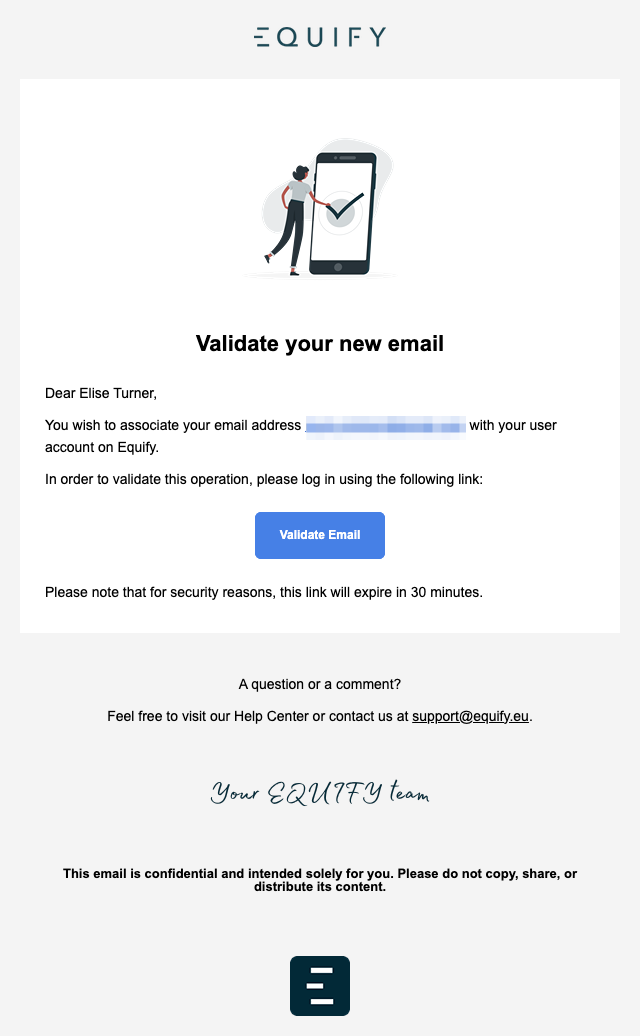
Capture_d’écran_2026-03-24_à_16_29_58