
① Go to the Equity Awards tab > Vesting conditions
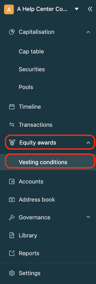
② Select the condition you want to modify
You can identify the related security to make things easier. For example, I want to modify the vesting schedule associated with the BSPCE 2025-6 security. I identify the conditions linked to this security, then select the time-based condition I’m interested in. Finally, I click on the three dots at the end of the line, then on Edit.
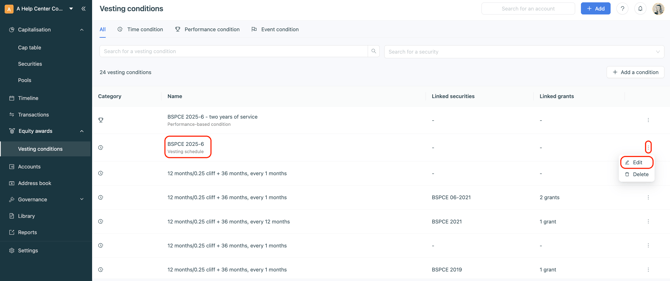
Once the changes have been made, save the modifications.