
① Select the document to be signed.
A document containing several tags (smartfields) will be identified as a Template Document (blue label).

A document containing only one signature tag will not display the Template label, but it can still be sent for signature.
② If the document needs to be mail merged (template document), use the three dots at the end of the row and select Mail merge.
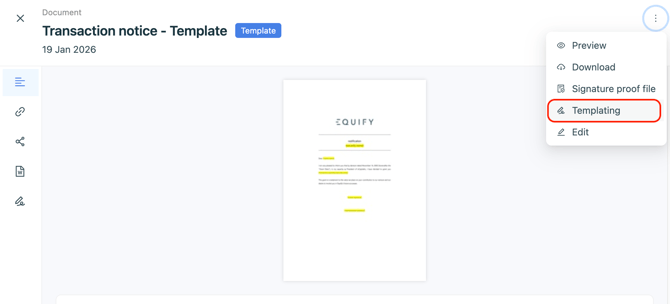
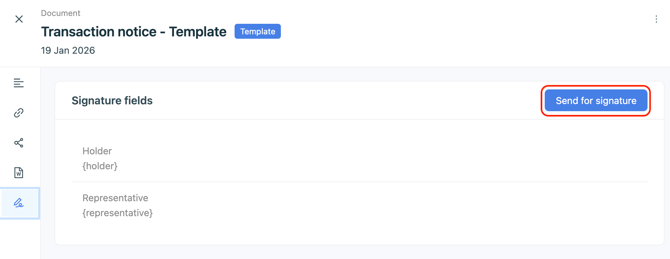
If this is not the case, open the document’s side panel, go to the Signature tab, then click the Send for signature button.
③ Match the tags with the appropriate fields.
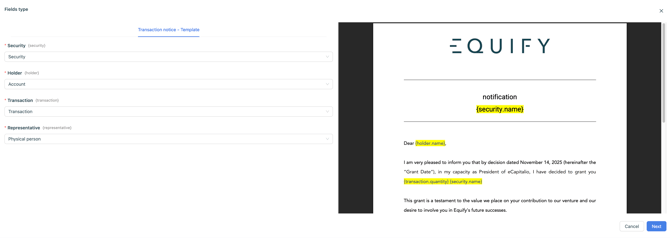
These fields are normally selected automatically, so no changes are required.
④ Fill in the mail merge fields.

⑤ Check the signatories’ contact details, then click Next to send the documents.

Email addresses and phone numbers are mandatory, as they are used as part of the electronic signature process.
⚠️ Each procedure is valid for 6 months. If a procedure expires, our team can exceptionally reactivate it for you.